![Agway Energy Services Logo_2025.png.png]](https://info.agwayenergy.com/hs-fs/hubfs/Agway%20Energy%20Services%20Logo_2025.png.png?height=40&name=Agway%20Energy%20Services%20Logo_2025.png.png)
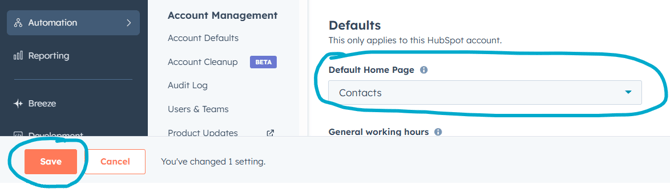
Set your home screen to "Contacts."
-
Go to "Settings --> General."
-
Scroll to the bottom of the page where it says "Default Home Page." Select "Contacts."
- Click the orange "Save" button.
How to receive in-app notifications when you are assigned a Signup or a Deal
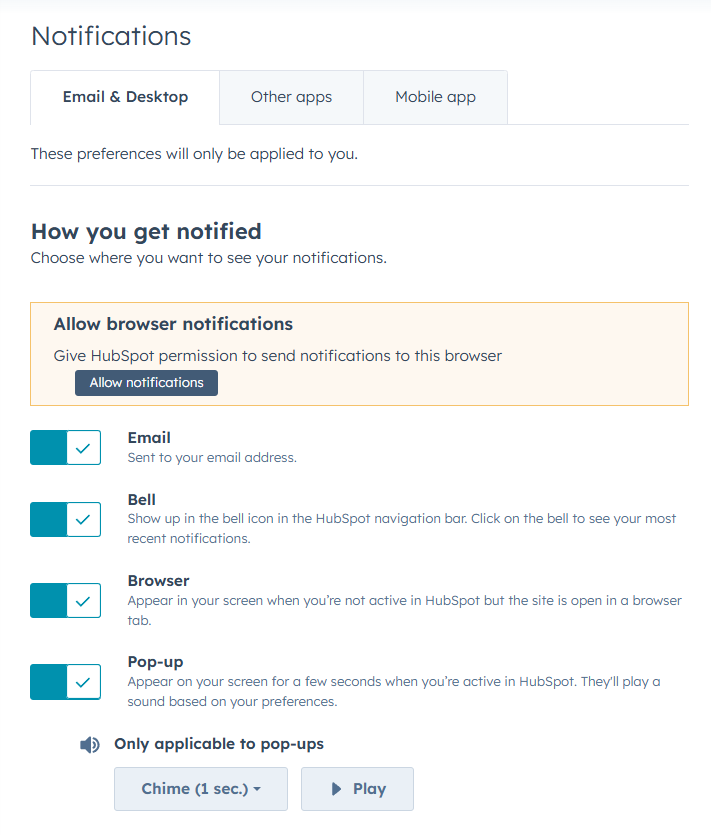
- Go to "Settings --> Notifications."
- Flip on the switches for the methods by which you want HubSpot to notify you.
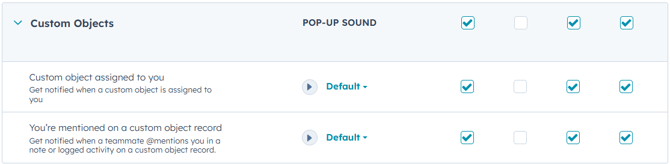
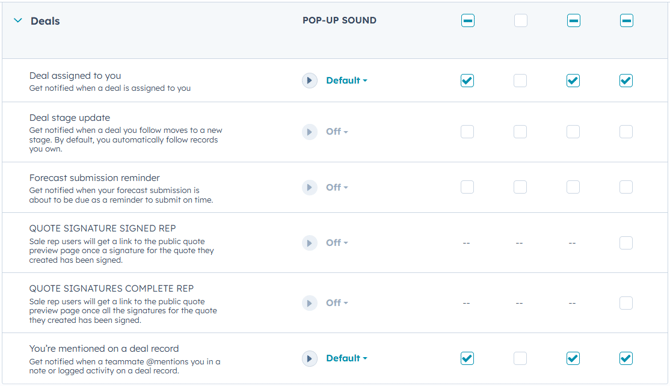
- Scroll down on the page. Expand each section and check the boxes for the specific notifications you want to receive for each described action in HubSpot. At minimum, we recommend the following:
- Signups — Expand the "Custom Objects" section.
- Deals — Expand the "Deals" section.
- Signups — Expand the "Custom Objects" section.
Set up views
See the article Agents: Set up viewsBookmarking screens
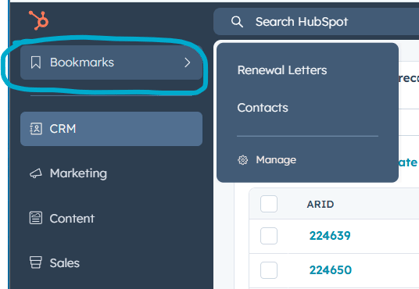
- You can bookmark the screens you frequently use in HubSpot for easy reference. Access your bookmarks here:
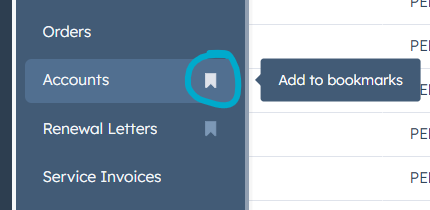
- To add a new screen to bookmarks, open it in the side navigation and hover over the item. An outline of a ribbon will appear.
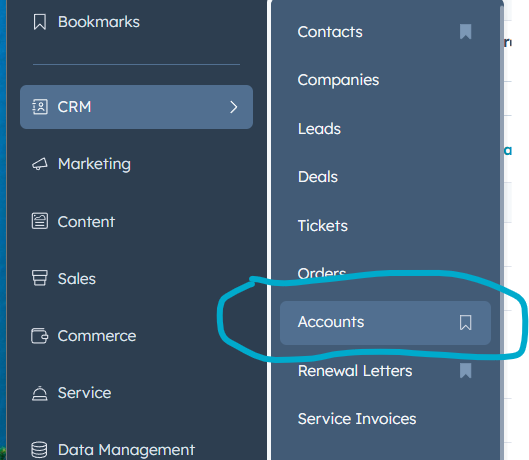
- Click the ribbon to bookmark this link.