![Agway Energy Services Logo_2025.png.png]](https://info.agwayenergy.com/hs-fs/hubfs/Agway%20Energy%20Services%20Logo_2025.png.png?height=40&name=Agway%20Energy%20Services%20Logo_2025.png.png)
Eligible Segment
Contacts are sent to the Dialer, not Accounts, so we only want to send a Contact one time even if they have multiple Accounts up for renewal. Contacts should be sent to the renewal campaign if they are associated with at least one Account that meets the following criteria:
- "NS INELIGIBLE REASON" is "unknown"
- "NS DROP DATE" is "unknown"
- Is associated with a Consent Pending Deal
- Is associated with an Active Deal where "NS DROP ON_AFTER DATE" is "unknown"
The above criteria and eligible records are viewable in this segment: Contacts Eligible for Dialer "Renewal" campaign
Manual Steps to Send them
- Before checking the contacts, we need to email Chase Data Corp and ask them to turn logging on for the renewal workflow.
- Go to the segment Contacts Eligible for Dialer "Renewal" campaign
- Review the Contacts to make sure it looks good.
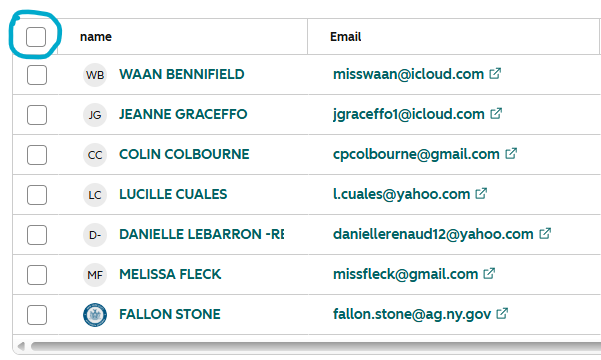
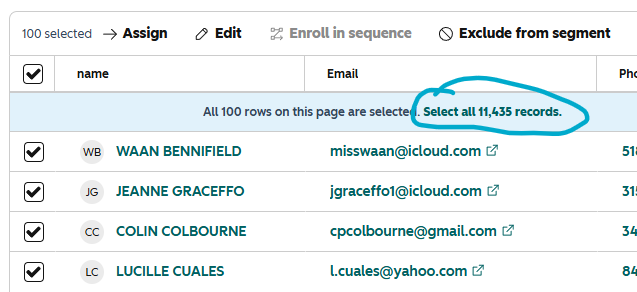
- Select all records by checking the top checkbox, then clicking the "Select all ______ records."
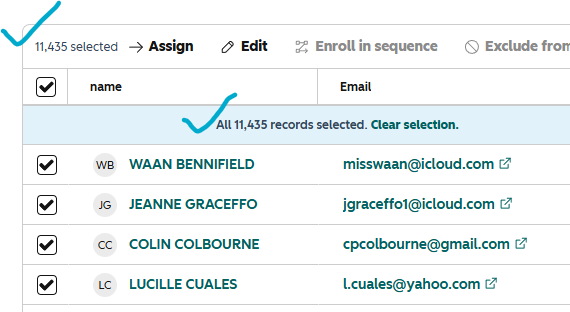
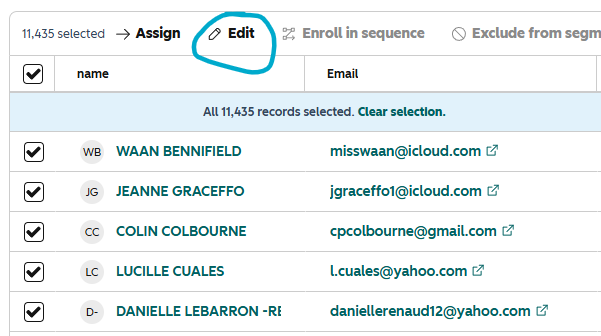
- After confirming that the entire segment has been selected, click the "Edit" button.
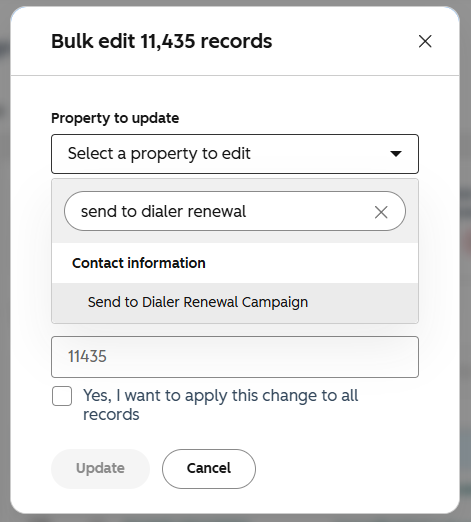
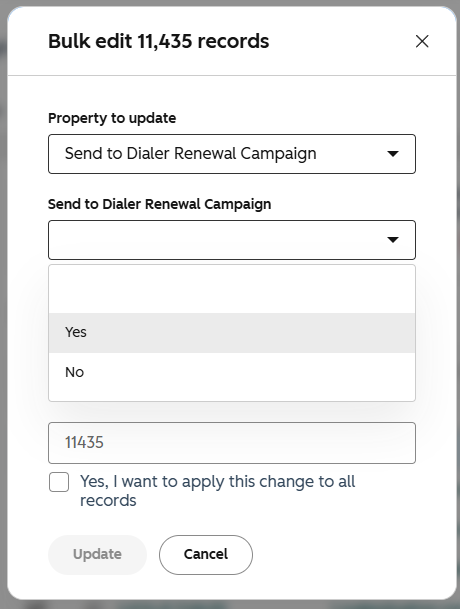
- Search for the property "Send to Dialer Renewal Campaign." Set it to "Yes."
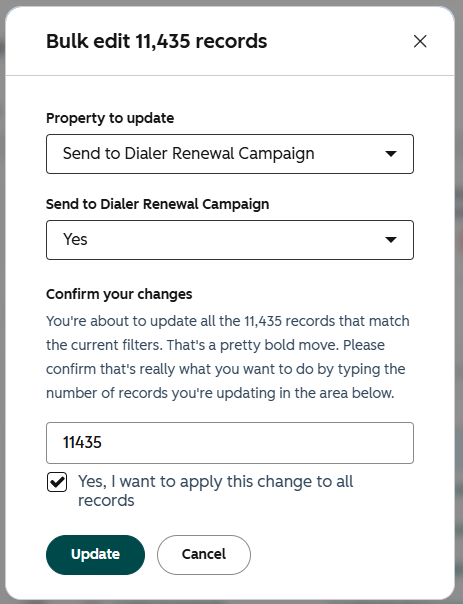
- Enter the number of records that will be edited. This is a safeguard the HubSpot provides when making bulk edits. Check the box as well.
- Click "Update." That's it! The contacts will enroll in this workflow: Ops: Send Renewals to Dialer Campaign